
The API-first LMS for building learning systems.
Courses, progress, entitlements and multi-tenancy as a typed TypeScript API. Use the admin and student apps it ships with, or build any frontend you want.
npm create headless-lmsMIT licensed · Typed SDK · MCP endpoint
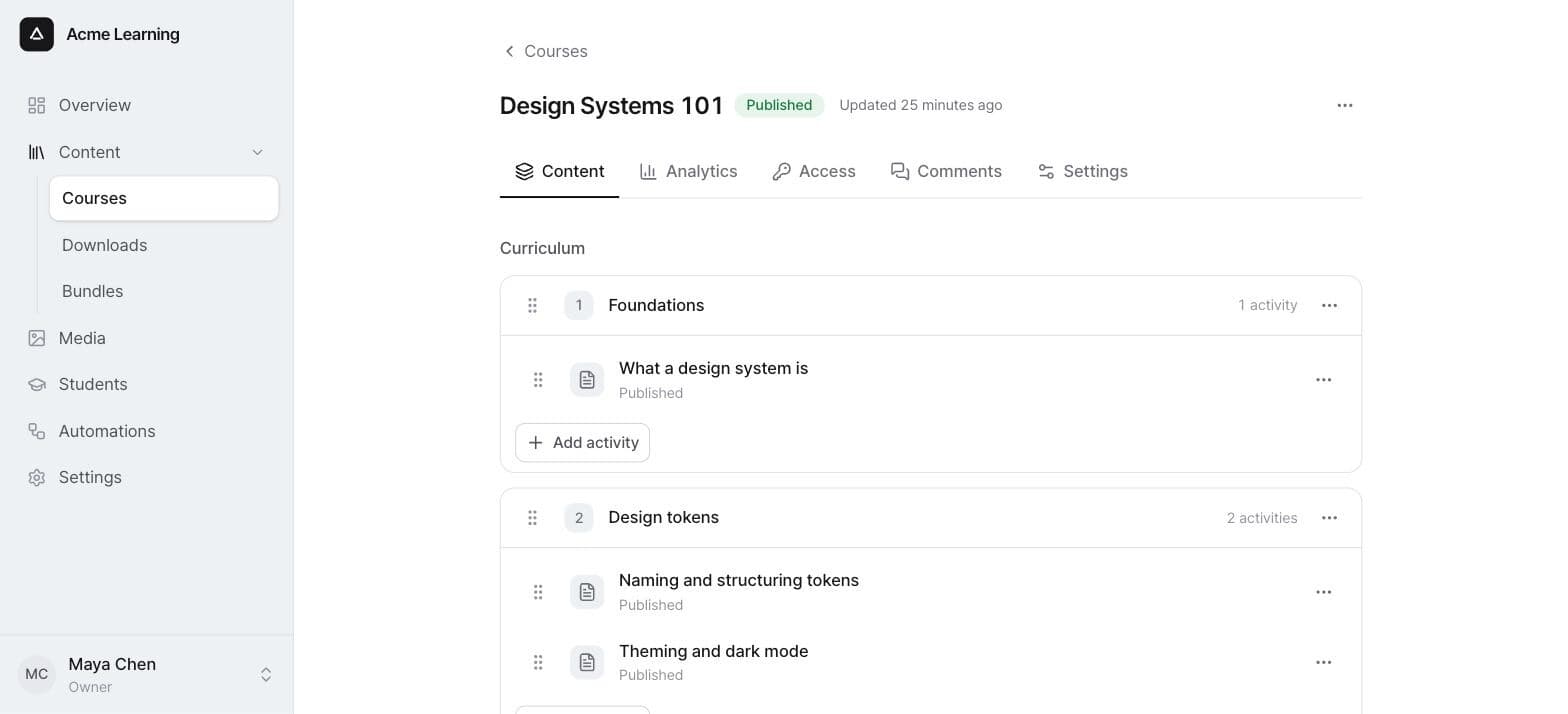
A complete LMS, exposed as a typed API.
The full domain of a learning platform behind one schema-first API. Compose the pieces you need and swap the ones you don't.
Read the architectureCourse builder
Modules and activities with a rich, Notion-style editor. Reorder, publish, and see who has access, from the admin or the API.

Typed SDK
Every route validates against a shared Zod contract. The OpenAPI spec and the SDK are generated from it, so they can't drift.
import {
  Content, Organizations, configureSdk,
} from "@headless-lms/sdk"

configureSdk({ baseUrl: "https://lms.acme.dev" })

const course = await Content.createCourse({
  title: "Intro to Distributed Systems",
})

const { rows: [student] } =
  await Organizations.listStudents({ search: "ada" })
Entitlements
Grant and revoke access to content with one uniform model, the same for every content type.
await Entitlements.grantEntitlement({
  orgUserId: student.id,
  contentId: course.id,
  expiresAt: null,
})

await Entitlements.setEntitlementStatus({
  id: entitlement.id,
  status: "revoked",
})
Progress tracking
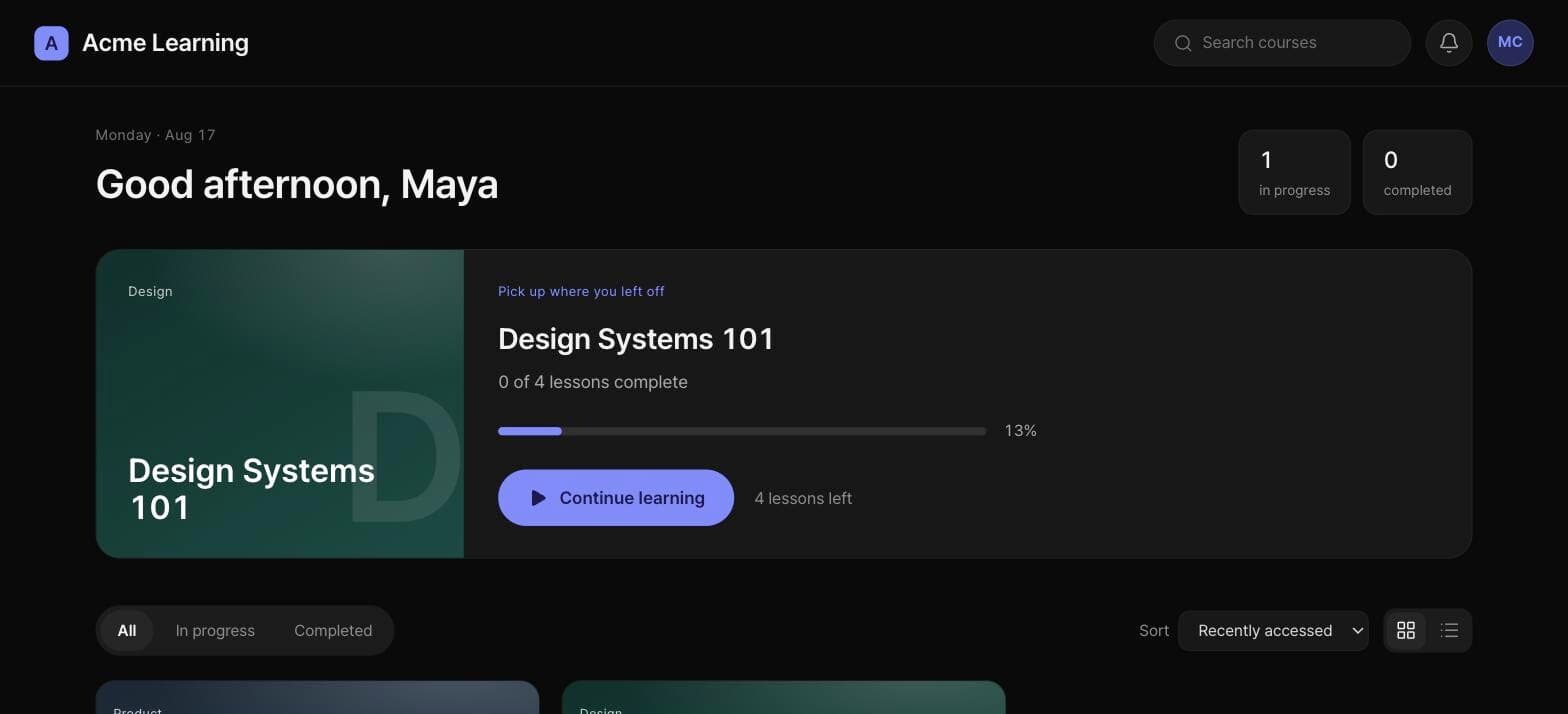
Per-student, per-activity completion, rolled up into course progress and reporting.
await Progress.reportProgress({
  activity: activity.id,
  reports: [{ completed: true }],
})
Signed webhooks
Send an organization's events to your endpoint, signed to the Standard Webhooks spec, with retries and reruns.
POST /hooks/lms
webhook-id: evt_2QZ4mK…
webhook-signature: v1,K5oZfz…

{
  "type": "entitlement.created",
  "version": 1,
  "orgId": "org_2QZ4mK…",
  "data": { … }
}Agents are first-class clients.
An MCP endpoint lets agents connect over OAuth and operate the LMS through the same domain layer as the SDK and the dashboards. One API, one set of rules, every client.

The admin and student apps are SDK consumers like any other frontend, built entirely on the public API.
How the layers fitShips with an admin and a student portal.
Two Next.js apps built on the public SDK, like any frontend you'd write. Run them as they are, change them, or read them as a reference.
See the project structure
Admin back-office
Courses, students, entitlements, automations and reporting, for every organization you run.
Student portal
Where students sign in, pick up where they left off, and work through their courses.
Rich content editor
A Notion-style activity editor powered by Plate.js, shipped as a plugin you can replace.
Yours to read, run and change.
MIT licensed, with a framework-free domain core. Scaffold an installation with one command and deploy it anywhere Node and Postgres run.
One command to a running LMS
The scaffolder creates a standalone installation that owns its config and plugins, with Postgres and MinIO in docker-compose if you want them.

Bring your own adapters
@headless-lms/core is a framework-free domain. Every adapter slot is optional and sits behind a port you can implement yourself.
Is Headless LMS really open source?
Yes. It's MIT licensed and developed in public on GitHub. There is no hosted edition and no closed tier with extra features.
What do I need to run it?
Node and Postgres. The npm create headless-lms scaffolder can set up Postgres and MinIO for file storage with docker-compose, or point at ones you already run. Every adapter slot is optional, so you can start with nothing else configured.
Do I have to use the admin and student apps?
No. Both are built on the public SDK like any other frontend. Use them as they are, change them, or build your own against the same API.
Can I swap the email or storage provider?
Yes. Email, templates, storage and workflows are adapters behind ports in the core. Use a shipped adapter such as Resend, SES, MinIO, S3 or Hatchet, or implement the port yourself.
How do AI agents connect?
Through the MCP endpoint, authenticated with OAuth. Agents operate the LMS through the same domain layer as the SDK and the dashboards.
How do I extend it?
Drop a plugin folder into your installation and it's loaded at startup, or subscribe to the system's events with signed webhooks.

Spin up your own LMS in one command.
A standalone installation that owns its config and plugins, and deploys anywhere Node and Postgres run.
npm create headless-lms